
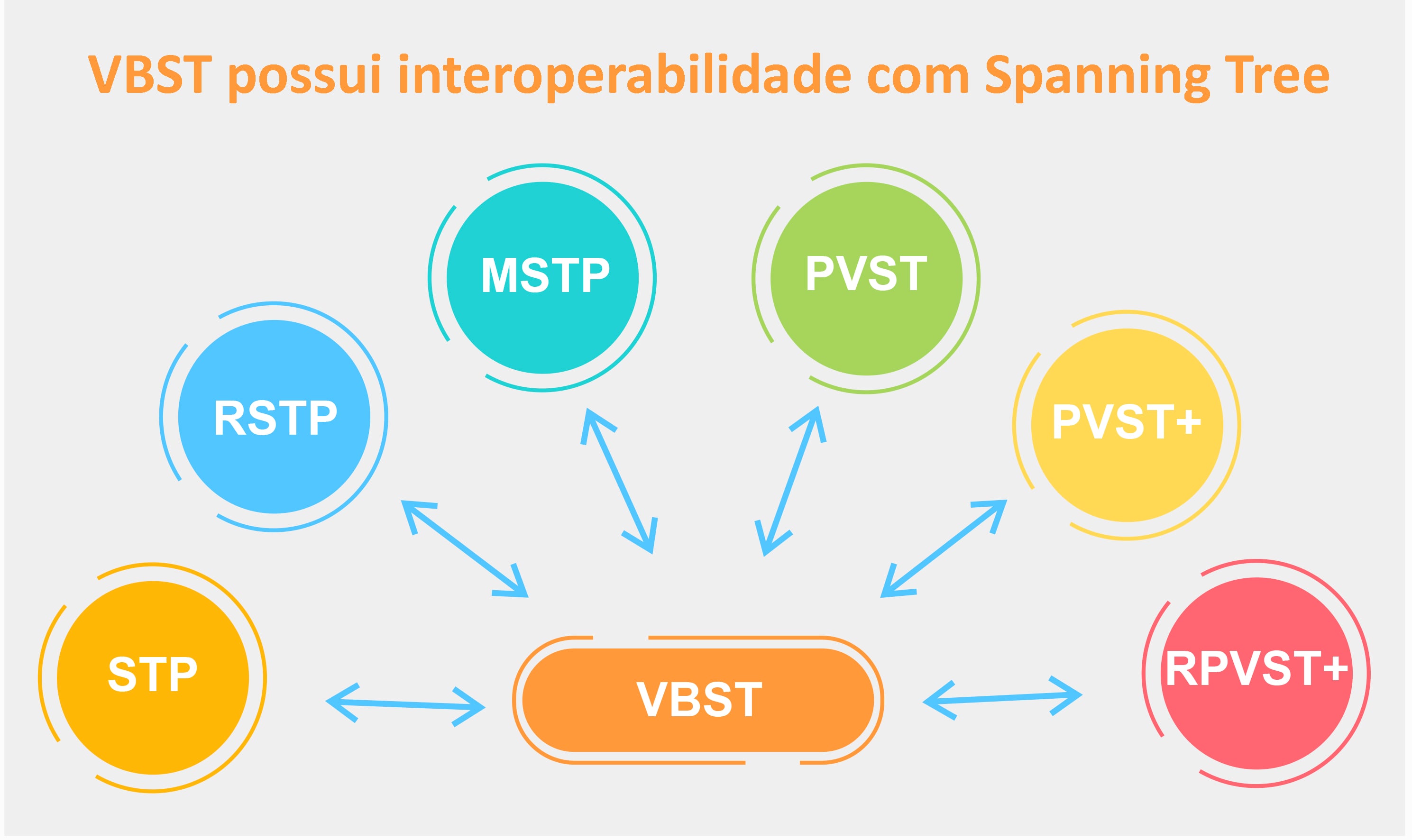
Enteda as diferenças e semelhanças da configuração do spanning-tree entre switches Huawei e Cisco.
Configuração Spanning Tree – Cisco vs Huawei
Nesse quarto post da serie Cisco vs Huawei, vamos abordar o tema “Configuração Spanning Tree”, vamos abordar as diferenças na configuração do protocolo Spanning Tree e suas principais funcionalidades. Faremos uma breve abordagem do protocolo Huawei VBST (similar ao PVST da Cisco).
Configuração RSTP Básico
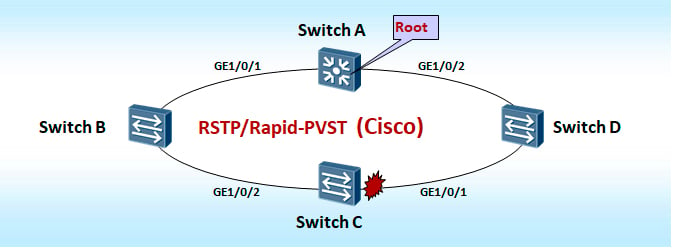
- Huawei
- Configurar em todos os switches
- Configure o spanning tree em modo RSTP
- <Quidway> system-view
- [Quidway] stp mode rst
- [Quidway] stp enable
- Configure o spanning tree em modo RSTP
- Configure o Switch A como root
- [Quidway_A] stp root primary
- [Quidway_A] stp priority 0
- Configurar em todos os switches
- Cisco
- Configurar em todos os switches
- Configure o spanning tree em modo RSTP-Pvst
- Cisco# configure terminal
- Cisco(config)# spanning-tree mode rapid-pvst
- Configure o spanning-tree link-type como point-to-point
- Cisco(config)# interface GigabitEthernet1/0/1
- Cisco(config-if)# spanning-tree link-type point-to-point
- Cisco(config-if)# exit
- Cisco(config)# interface GigabitEthernet1/0/2
- Cisco(config-if)# spanning-tree link-type point-to-point
- Cisco(config)# interface GigabitEthernet1/0/1
- Configure o spanning tree em modo RSTP-Pvst
- Configure Switch A como root
- Cisco_A(config)# spanning-tree vlan vlan-id root primary
- Cisco_A(config)# spanning-tree vlan vlan-id priority 0
- Configurar em todos os switches
Configuração MSTP Básica
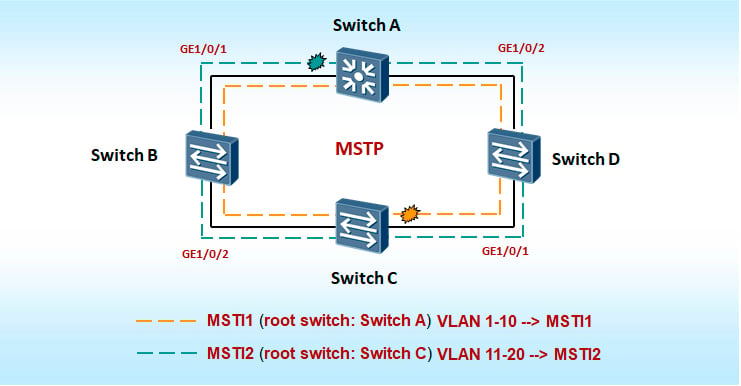
-
Huawei
- Todos os switches
- Configure o spanning tree em modo MSTP
- <Quidway> system-view
- [Quidway] stp mode mstp
- [Quidway] stp enable
- Configure a região no MST
- [Quidway] stp region-configuration
- [Quidway–mst-region] region-name Huawei
- [Quidway–mst-region] instance 1 vlan 1 to 10
- [Quidway–mst-region] instance 2 vlan 11 to 20
- [Quidway–mst-region] active region-configuration
- [Quidway] stp region-configuration
- Switch A (root da instance 1)
- Configure o Switch A como root da instancia 1
- Quidway_A] stp instance 1 root primary ou
- [Quidway_A] stp instance 1 priority 0
- Configure o Switch A como root da instancia 1
- Switch C (root da instance 2)
- Configure o Switch C como root da instancia 2
- [Quidway_C] stp instance 2 root primary
- [Quidway_C] stp instance 2 priority 0
- Configure o Switch C como root da instancia 2
- Configure o spanning tree em modo MSTP
- Todos os switches
-
Cisco
- Todos os switches
- Configure o spanning tree em modo MSTP
- Cisco# configure terminal
- Cisco(config)# spanning-tree mode mst
- Configure a região no MST
- Cisco(config)#spanning-tree mst configuration
- Cisco(config-mst)#name Huawei
- Cisco(config-mst)#instance 1 vlan 1-10
- Cisco(config-mst)#instance 2 vlan 11-20
- Configure o spanning tree em modo MSTP
- Switch A (root da instance 1)
- Configure o Switch A como root da instancia 1
- Cisco_A(config)# spanning-tree mst 1 root primary ou
- Cisco_A(config)# spanning-tree mst 1 priority 0
- Configure o Switch A como root da instancia 1
- Switch C (root da instance 2)
- Configure o Switch C como root da instancia 2
- Cisco_C(config)# spanning-tree mst 2 root primary
- Cisco_C(config)# spanning-tree mst 2 priority 0
- Configure o Switch C como root da instancia 2
- Todos os switches
Configuração Spanning Tree – Cisco vs Huawei
Principais Comandos de configuração do protocolo Spanning Tree:
| Cisco | Huawei |
| spanning-tree portfast | stp edged-port enable |
| spanning-tree bpdufilter enable | stp bpdu-filter enable |
| spanning-tree portfast bpduguard default | stp bpdu-protection |
| spanning-tree mode mst | stp mode mstp |
| spanning-tree link-type point-to-point | stp point-to-point force-true |
| spanning-tree guard root | stp root-protection |
| spanning-tree bpduguard enable | stp edged-port enable + bpdu enable |
| spanning-tree bpdufilter | stp bpdu-filter enable |
| spanning-tree mode mst | stp mode mstp |
| spanning-tree mode pvst | stp mode stp |
| spanning-tree mode rapid-pvst | stp mode rstp |
| spanning-tree mst configuration | stp region-configuration |
Cisco PVST vs Huawei VBST
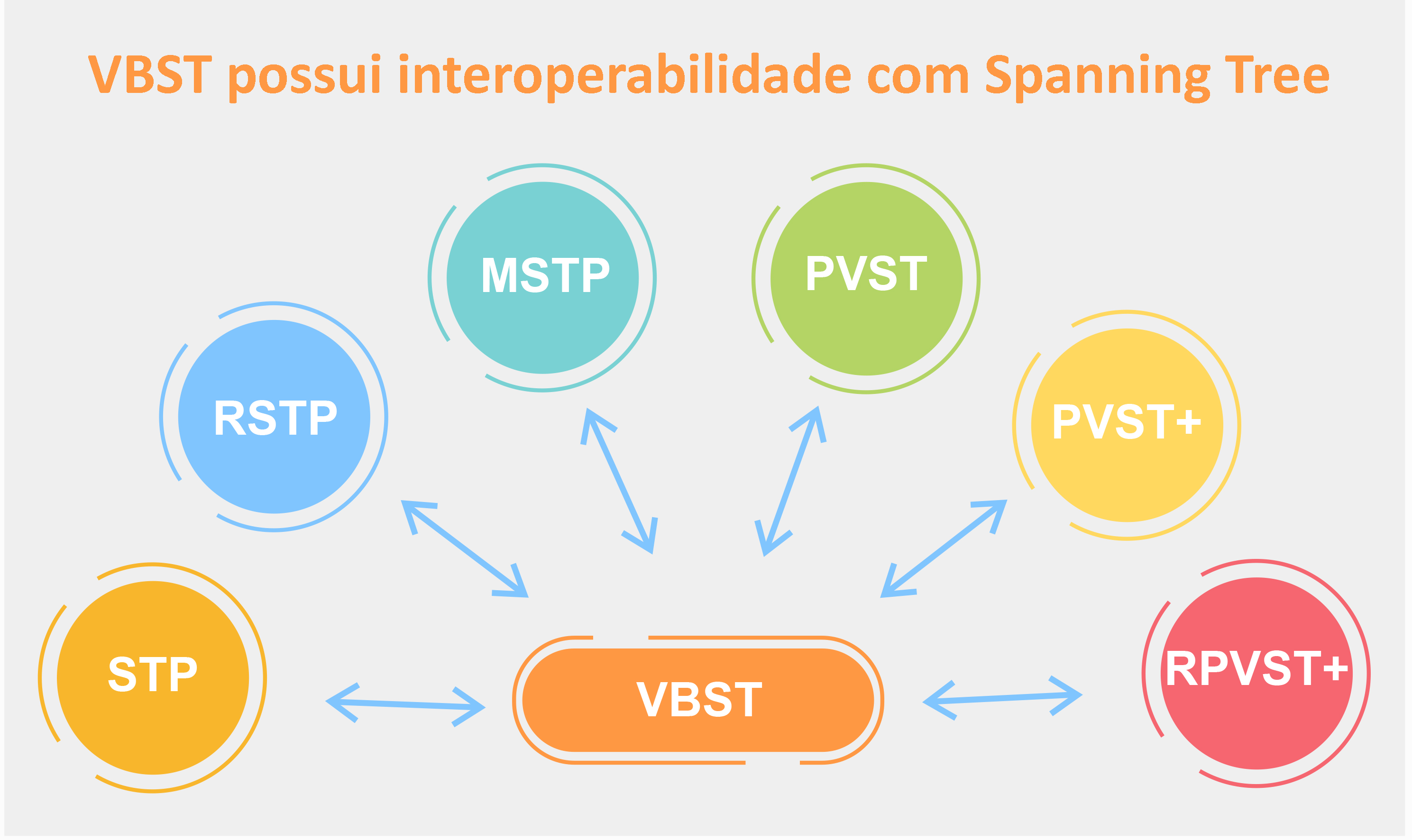
VBST (VLAN-based Spanning Tree) é um protocolo spanning tree proprietário Huawei equivalente e compatível com PVST da Cisco, utiliza as arvores e prioridades por VLANs de forma independente.
Exemplo de Configuração:
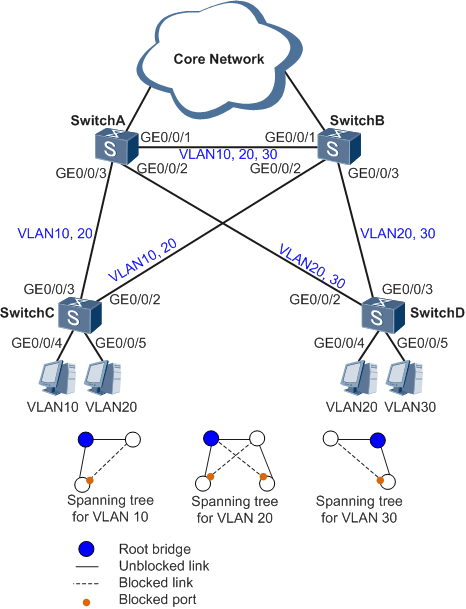
-
Configuração do switch A
- sysname SwitchA
- vlan batch 10 20 30
- stp mode vbst
- stp vlan 1 disable
- stp vlan 30 root secondary
- stp vlan 10 20 root primary
- interface GigabitEthernet0/0/1
- port link-type trunk
- undo port trunk allow-pass vlan 1
- port trunk allow-pass vlan 10 20 30
- interface GigabitEthernet0/0/2
- port link-type trunk
- undo port trunk allow-pass vlan 1
- port trunk allow-pass vlan 20 30
- interface GigabitEthernet0/0/3
- port link-type trunk
- undo port trunk allow-pass vlan 1
- port trunk allow-pass vlan 10 20
- sysname SwitchA
-
Configuração do switch B
- sysname SwitchB
- vlan batch 10 20 30
- stp mode vbst
- stp vlan 1 disable
- stp vlan 10 20 root secondary
- stp vlan 30 root primary
- interface GigabitEthernet0/0/1
- port link-type trunk
- undo port trunk allow-pass vlan 1
- port trunk allow-pass vlan 10 20 30
- interface GigabitEthernet0/0/2
- port link-type trunk
- undo port trunk allow-pass vlan 1
- port trunk allow-pass vlan 10 20
- interface GigabitEthernet0/0/3
- port link-type trunk
- undo port trunk allow-pass vlan 1
- port trunk allow-pass vlan 20 30
-
Configuração do Switch C
- sysname SwitchC
- vlan batch 10 20
- stp mode vbst
- stp vlan 1 disable
- interface GigabitEthernet0/0/2
- port link-type trunk
- undo port trunk allow-pass vlan 1
- port trunk allow-pass vlan 10 20
- stp vlan 10 20 cost 2000000
- interface GigabitEthernet0/0/3
- port link-type trunk
- undo port trunk allow-pass vlan 1
- port trunk allow-pass vlan 10 20
- interface GigabitEthernet0/0/4
- port link-type access
- port default vlan 10
- stp edged-port enable
- interface GigabitEthernet0/0/5
- port link-type access
- port default vlan 20
- stp edged-port enable
-
Configuração do switch D
- sysname SwitchD
- vlan batch 20 30
- stp mode vbst
- stp vlan 1 disable
- interface GigabitEthernet0/0/2
- port link-type trunk
- undo port trunk allow-pass vlan 1
- port trunk allow-pass vlan 20 30
- stp vlan 20 30 cost 2000000
- interface GigabitEthernet0/0/3
- port link-type trunk
- undo port trunk allow-pass vlan 1
- port trunk allow-pass vlan 20 30
- interface GigabitEthernet0/0/4
- port link-type access
- port default vlan 20
- stp edged-port enable
- interface GigabitEthernet0/0/5
- port link-type access
- port default vlan 30
- stp edged-port enable
Esse foi o último post da nossa série comparativa de Switches Cisco vs Huawei. Caso tenha ficado qualquer dúvida, deixe abaixo nos comentários.
Lembrando que para um maior entendimento sobre o assunto, incentivamos a leitura do primeiro, do segundo e do terceiro post da série. Confira abaixo os links.
- Parte 1 – Comparativo: Switch Cisco Vs Huawei – Arquitetura
- Parte 2 – Comandos Cisco vs Huawei – Comparação CLI Básica
- Parte 3 – CLI Cisco vs Huawei – Configuração de Interfaces e Voice VLAN